How To Change Server In Free Fire? – A Complete Guide
If you want to experience gameplay from other regional servers or play with players around the world, this guide is for you. As you will learn, there are steps to change your regional server, with or without a VPN. The methods discussed here do not involve using any third-party servers to change servers.
So rest assured, you can change the server in Free Fire using official methods without risking your account due to security threats. Just like the FF Advance Server lets selected players explore upcoming Free Fire features in a safe and official environment, these methods allow you to change regions without relying on risky third-party tools.
Method to Change Server in Free Fire
You can change your server in Free Fire with more ease by following these steps:
First of all, launch the Free Fire game.
The next step is to go to settings and select the language option.
Select another language, the one in whose region you want to play.
After this step, log out of the game by using the lower-right corner button.
Relaunch the game, but log in using another account
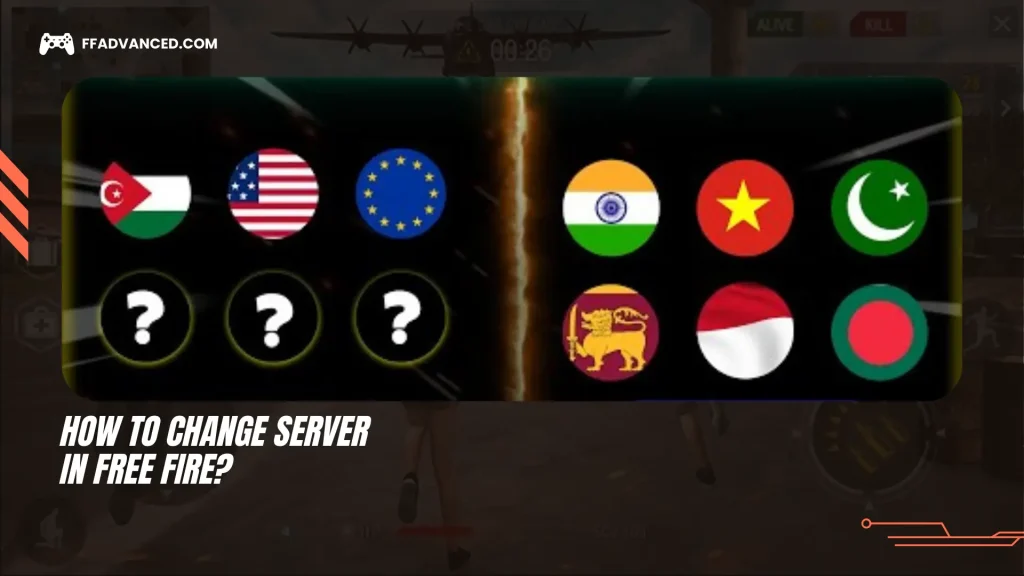
Upon opening the game, you will get two options: one option is to use your own server region, and another option is to log into the server region of the language you have chosen.
If you are unable to understand the language, then you should probably go with the option on the right. Then, in such a case, revert the language settings, restart, and log back in to the game.
If you want to change your server, you can use a VPN instead.
Contacting Customer Service to Change the Free Fire Server
Another in-game method to change servers is to contact Garena support. If you have moved from one region or country to another, or if your account transfer request is legitimate but the link to the server is broken, it’s now inaccessible. Then, the following are the steps that can help you join another region’s server:
First, go to the official support website of Garena Free Fire and log in with your account
Choose the option of the “Account” tab
Explain your scenario before submitting it.
This method is not permanent, and its success is unlikely.
Change Server While Using VPN
The following steps will help you change the server in Free Fire more easily. The steps are as follows:
If you are using an Android or iOS device, you need to first download the VPN app before doing anything.
The next step is to launch the game before connecting to the VPN.
Once the game is launched, go to the settings of the game and log out of your current account and close the game.
In your device settings, clear the Free Fire cache.
Now it is time for VPN. Open the VPN app and connect to the region or country you want.
After connecting to the VPN, relaunch the game and log in with a new account. The account can be a Facebook, Google, or a Twitter account.
Once logged in, you are ready to play the game in the regional server of your choice.
Why do Players Change the Free Fire server?
Reasons why one should change their server in Free Fire are as follows:
Some servers of Free Fire have access to bundles, unique features, special editions of skins and characters, and cultural events that are not accessible on other servers.
You may want to change your Free Fire server if you want to play with players or friends who are not in your region.
To reduce lag, choose a server closer to your region so data transfer is shorter, resulting in lower ping.
If you want to start over, changing servers is a good option, as it provides a clean slate to rewrite your gaming journey without the baggage of memories.
Risks Of Changing Free Fire Server
What are the risks you could face while changing your server region incorrectly? The following are the risks you should be aware of:
VPNs might get banned by Free Fire for using blocked IPs.
Third-party servers may try to access personal information, posing a security threat.
Changing servers may affect the game progress, friends’ list, and in-game diamonds or other purchases.
Free Fire Servers List
Server
Region/Country
Free Fire Pakistan Server
Pakistan
Free Fire Brazil Server
Brazil
Free Fire Taiwan Server
Taiwan
Free Fire India Server
India
Free Fire Mexico Server
Mexico (LATAM)
Free Fire Vietnam Server
Vietnam
Free Fire Middle East Server
Middle East (MENA)
Free Fire Indonesia Server
Indonesia
Free Fire Bangladesh Server
Bangladesh
Free Fire Africa Server
Africa
Free Fire United States Server
United States
Free Fire Russia Server
Russia
Free Fire Singapore Server
Singapore
Free Fire Europe Server
Europe
Free Fire Malaysia Server
Malaysia
Free Fire Thailand Server
Thailand
Frequently Asked Questions
Only in case, if you are both on the same server. Otherwise it is not possible in ranked mode.
No, Garena does not allow region transfers for existing accounts. You would be needed to create a new one.
No, using a VPN just to create a new guest account is safe. But using it during live gameplay can affect ping and might trigger suspicion if abused.
It is very tempting to try out new themes, features, skins, weapons, and many more bundles offered by Garena Free Fire. Each server has its own unique features; some are more interesting than others. That’s one of many reasons players want to change their server from their actual location to another one, as it offers more exciting gameplay. Try the steps above to change your gaming server and enjoy an ultimate, seamless gaming experience without any issues.